How to Launch an AI Sales Agent on Your Website in 6 Steps (What to Train It On and What to Keep Out)
By Kerry Proksel, AI Officer, Co-Founder & Managing Partner at HelloMavens, the company behind NightMaven · November 19, 2026 · 6 min read
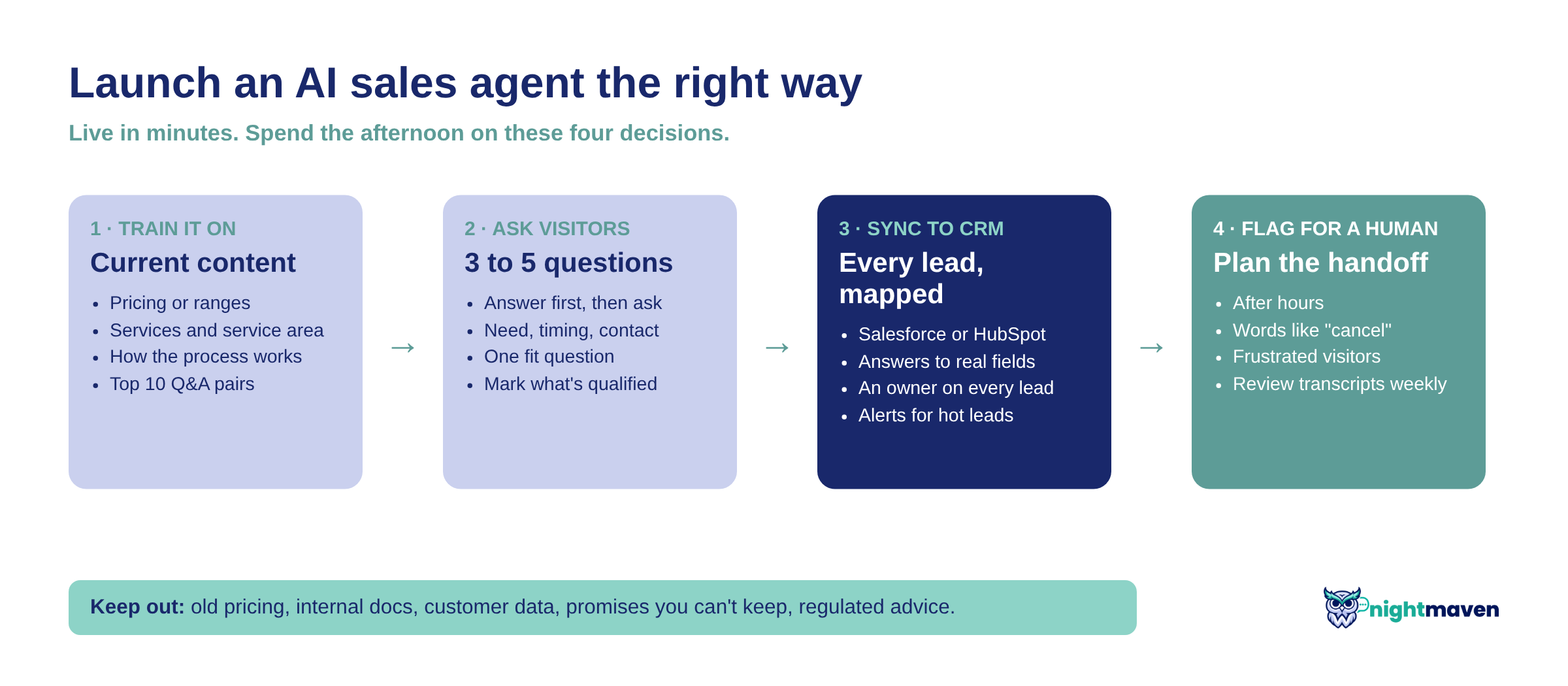
What should you train your website AI agent on? Your current pricing, services, process and FAQs, and nothing else. Keep old PDFs, internal docs and anything you wouldn't put in writing to a buyer out of it. Then decide what it asks visitors and where each lead goes in your CRM.
Getting an AI sales agent live takes minutes. Getting it right takes an afternoon, and that afternoon decides whether it books meetings or just chats.
Key takeaways
- Train it on less, not more. Every outdated file is a wrong answer waiting to happen.
- Ask 3 to 5 questions, not a form. Answer first, then ask only what your team needs.
- Map the CRM sync before launch. A lead with no owner is a lead nobody calls.
Before you start (what you need)
- Your website URL and the pages buyers read most.
- The person who knows the sales conversation, such as your best rep.
- Your definition of a qualified lead, in writing.
- CRM admin access to Salesforce or HubSpot, or a webhook URL.
Step 1: Pick one job and one number
Decide the one thing the agent is for, such as booking calls or collecting quote requests. Pick the number you'll judge it by, like qualified leads per week, and pull your last 90 days as a baseline.
Pro tip: We start every client project this way: KPI, target, baseline. An agent with one job beats an agent asked to do everything.
Step 2: Train it on the pages buyers actually ask about
Paste your website URL so the agent reads your site. Then add what your best rep says on every call that your site never answers:
- Pricing or price ranges, even "projects start at."
- What you do and don't do, including service areas and minimums.
- How the process works, with real timelines.
- Your top 10 questions, as Q&A pairs with the exact answer you want.
NightMaven's knowledge base takes your site, files, pasted text and Q&A, and shows the source behind each answer, so gaps are easy to fix.
Watch out for: Treating it like a file dump. More content is not better content. Two pages that disagree on price make an agent that disagrees with itself.
Step 3: Keep out what it should never say
Most teams skip this step. Leave out:
- Old pricing, retired services and expired promos.
- Internal docs: SOPs, contracts, anything with customer names.
- Promises you can't keep: guarantees, approval odds, dates you don't control.
- Regulated advice, such as legal, tax or rate quotes.
In 2024, a Canadian tribunal ordered Air Canada to pay a passenger after its website chatbot described a refund policy that didn't exist. The airline was held responsible for what its chatbot said (CBC News).
Pro tip: For risky topics, write a Q&A with the exact reply instead, such as "Pricing depends on your project. I can have someone send you a quote today."
Step 4: Write the questions it asks visitors
List the 3 to 5 details your team needs to follow up: contact info, what they need, timing and one fit question such as budget or location. In NightMaven you set an answer type for each (number, dollar amount, yes or no, ZIP code) and mark which answers make a lead qualified.
Hypothetical example: a roofing company asks for ZIP code, "repair or replacement?" and timeline. A replacement this month inside the service area is marked qualified. Everyone else still gets a helpful answer, and the team skips a wasted call.
Watch out for: A form in disguise. If the agent asks five questions before answering one, visitors leave. Answer first, then ask.
Step 5: Map the sync to your CRM
Decide where every lead lands before the first one arrives:
- Lead or contact? Set the rule once.
- Field mapping. Send each answer to a real CRM field, not a notes box, so you can report and route on it.
- Owner. Assign every lead to a person or queue. In Salesforce, plug it into your lead routing.
- Alerts. Email your team on every qualified lead.
NightMaven syncs to Salesforce and HubSpot, with a link back to the full conversation on each Salesforce lead. Webhooks reach other apps through Zapier, Make or n8n.
Watch out for: Dumping the transcript into a description field. Reps won't read it, and you can't report on it.
Step 6: Plan the handoff, then test with real questions
Decide which conversations your team sees right away. In NightMaven you can flag leads for your team after hours, on words like "cancel," or when a visitor seems frustrated.
I learned this the hard way. At one client, the team wanted AI to handle conversations, and a lot of messages still went to real people. AI only handles what it's set up to handle. Plan the handoff on day one.
Then ask it 20 real questions from your sales inbox, including a few nasty ones. Fix every weak answer with a Q&A pair, and launch.
Pro tip: Read every transcript for two weeks. You'll learn what buyers ask that your website never answered.
How to know it worked
- First reply in under 1 minute, at any hour.
- Qualified leads per week are up against your 90-day baseline, each with an owner in your CRM.
- Fewer than 1 in 10 answers needs a fix after two weeks of transcript review.
Common mistakes
- Training it on everything. Fix: start with your top pages and 10 Q&A pairs. Add more when transcripts show a gap.
- No owner for new leads. Fix: route every lead before launch.
- Set it and forget it. Fix: refresh content when pricing or services change.
New to this? Start with what an AI sales agent is, the four myths that keep teams on contact forms, our comparison of chatbots, live chat and contact forms and who answers your website leads at 9 p.m..
AI sales agent launch FAQ
- Setup takes minutes. Plan an afternoon for the decisions: what it learns, what it asks and where leads go.
- Keep out outdated pricing, internal documents, customer data and anything you wouldn't put in writing to a buyer. Send regulated questions, such as legal or tax, to your team.
- Yes, whenever pricing, services or policies change. NightMaven re-reads your site on demand, or daily or weekly on Growth plans and up.
- Yes. It answers and qualifies at any hour, so evening and weekend visitors get a reply before they move on.
Your agent can be live in minutes. Spend the afternoon making it good.
Try NightMaven free. 25 free conversations, no card needed.